'%20stroke='url(%23e)'/%3e%3cg%20transform='translate(13%2013)%20scale(.594)'%3e%3cg%20transform='rotate(-24%2032%2032)'%3e%3cpath%20d='M29.56%208.12A24%2024%200%200%200%2029.56%2055.88A27.8%2027.8%200%200%201%2029.56%208.12Z'%20fill='%23f7f8f8'/%3e%3cpath%20d='M34.44%208.12A24%2024%200%200%201%2034.44%2055.88A27.8%2027.8%200%200%200%2034.44%208.12Z'%20fill='%23f7f8f8'/%3e%3ccircle%20cx='32'%20cy='32'%20r='5.6'%20fill='%23c8f031'/%3e%3c/g%3e%3c/g%3e%3c/svg%3e) Porticol
PorticolNative API client · MCP server · CLI
The API client for you and your agents.
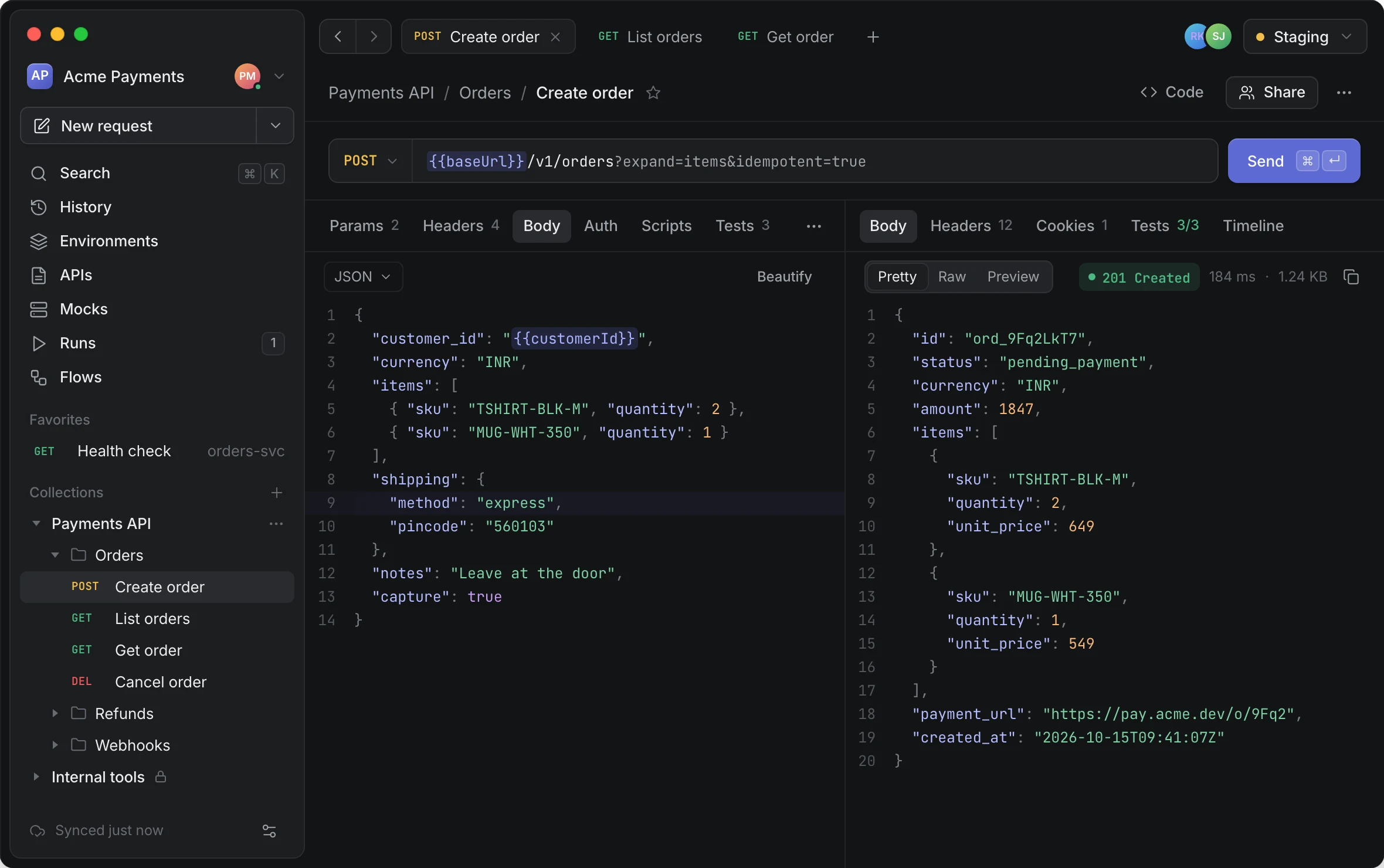
Opens in a quarter of a second. Your coding agents and your CI run the same collections.
Agents
Your agents use the collections you already have.
Porticol ships an MCP server. Claude Code, or any MCP client, can search the workspace, read requests, send them and run whole collections, with secrets resolved inside Porticol and masked before anything leaves.
$ claude mcp add porticol -- porticol-cli mcpOne line to connectNine tools, one workspace
The agent reaches what you reach in the app, nothing else.
searchreadenvironmentssendrunhistoryimport_openapicreate_requestupdate_requestRead-only until you say so
The two write tools stay off unless you start the server with --write or the token holds the write scope.
Secrets never leave in the clear
Every result that could carry a secret is masked, over every secret value the workspace holds.
A person allows protected sends
A send to a protected environment waits until someone allows it, and every agent send is recorded with the client's name.
MCP referenceSpeed
Fast to open, light to keep open.
A native Rust engine on the system's own web view, not a bundled copy of Chrome. On the same Mac it opened first and used the least memory and disk of the four API clients we measured.
Measured 2026-10-18 on Apple M4 Pro, macOS 26.4, arm64: Porticol 0.1.0, Yaak 1.0.0, Insomnia 13.3.1, Bruno 4.2.1, each on a fresh profile and on the first screen it opens to, launched once to set up and then five times, with the median shown. Time to first window runs from launch until the app's first window is on screen. Memory is the footprint Activity Monitor reports, summed over every process the app runs, including the system web view's, 30 seconds after launch. App size is the application bundle on disk. Chrome 155.0.8059.80 was measured the same way with one blank tab and no extensions. Postman is not in this run yet.
CI
The same collection, in your pipeline.
porticol-cli runs collections, flows and load tests from a file, a Postman export or your team's server. It writes JUnit, JSON and HTML reports and exits with a code your pipeline can act on.
Run collections
With datasets, iterations and a check of every response against your OpenAPI document.
Load test
Up to 200 virtual users, ramp-up, and thresholds on latency or error rate that fail the build.
Catch breaking changes
Diff two OpenAPI documents before a client finds out, and lint them against your rules.
Watch production
Monitors run a collection on a schedule and alert Slack, Teams, email or a webhook after two failures in a row.
Every day
Works offline. Syncs when you're back.
Porticol runs on your computer, with no account and no network needed. Requests go straight from your machine to your APIs, and edits sync to your team when you reconnect.
Collections are files in Git
Each request is a readable file, reviewed in a pull request like the code it tests. Edits made offline sync and merge item by item when you reconnect.
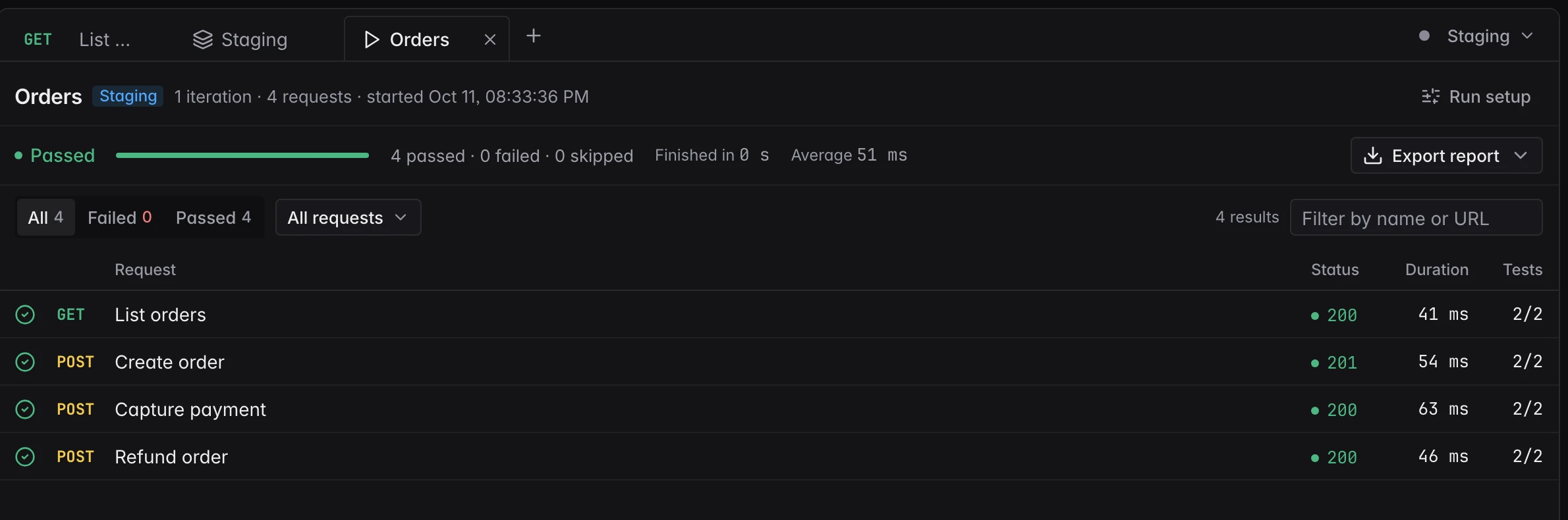
Run the whole collection
Every request with its status, time and tests, and a report to export.
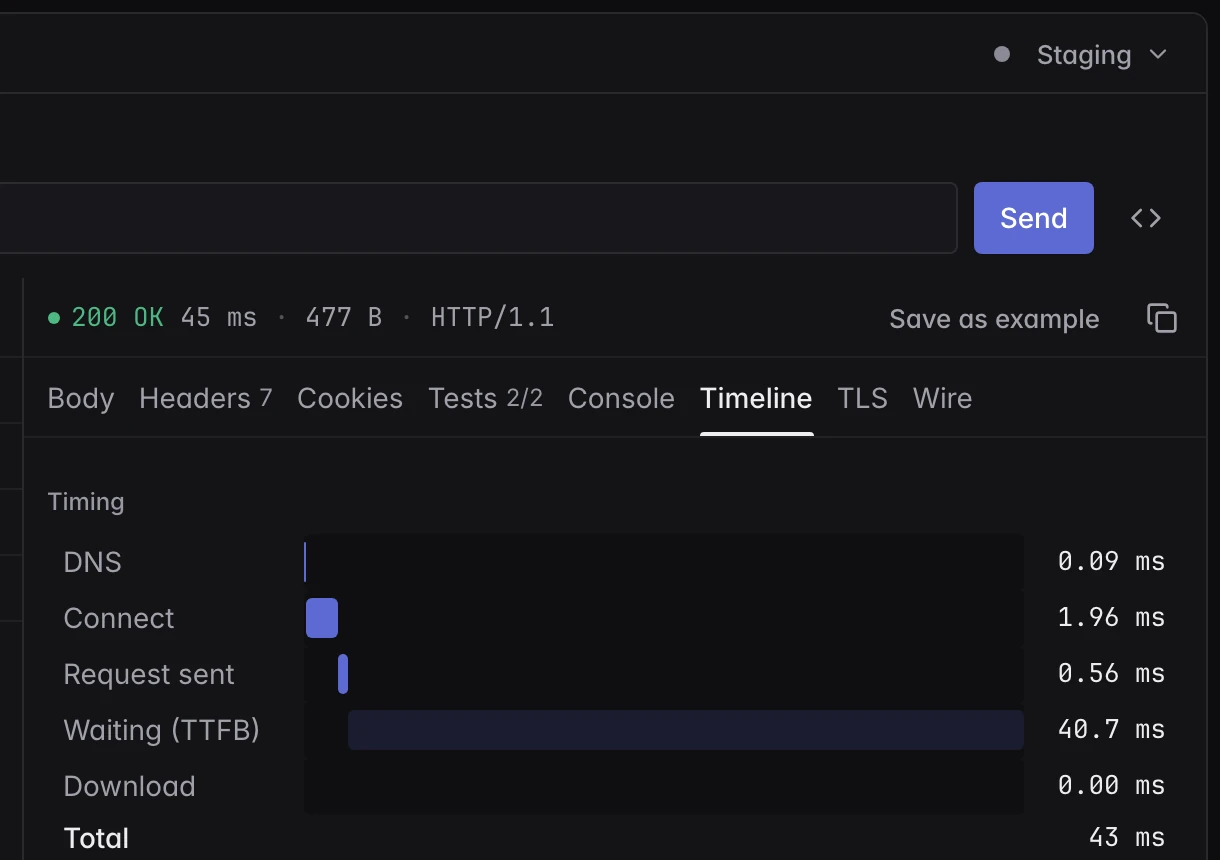
See where the time went
Every phase of every request, down to the TLS handshake.
Every protocol
One collection shares variables, auth and tests across all of them.
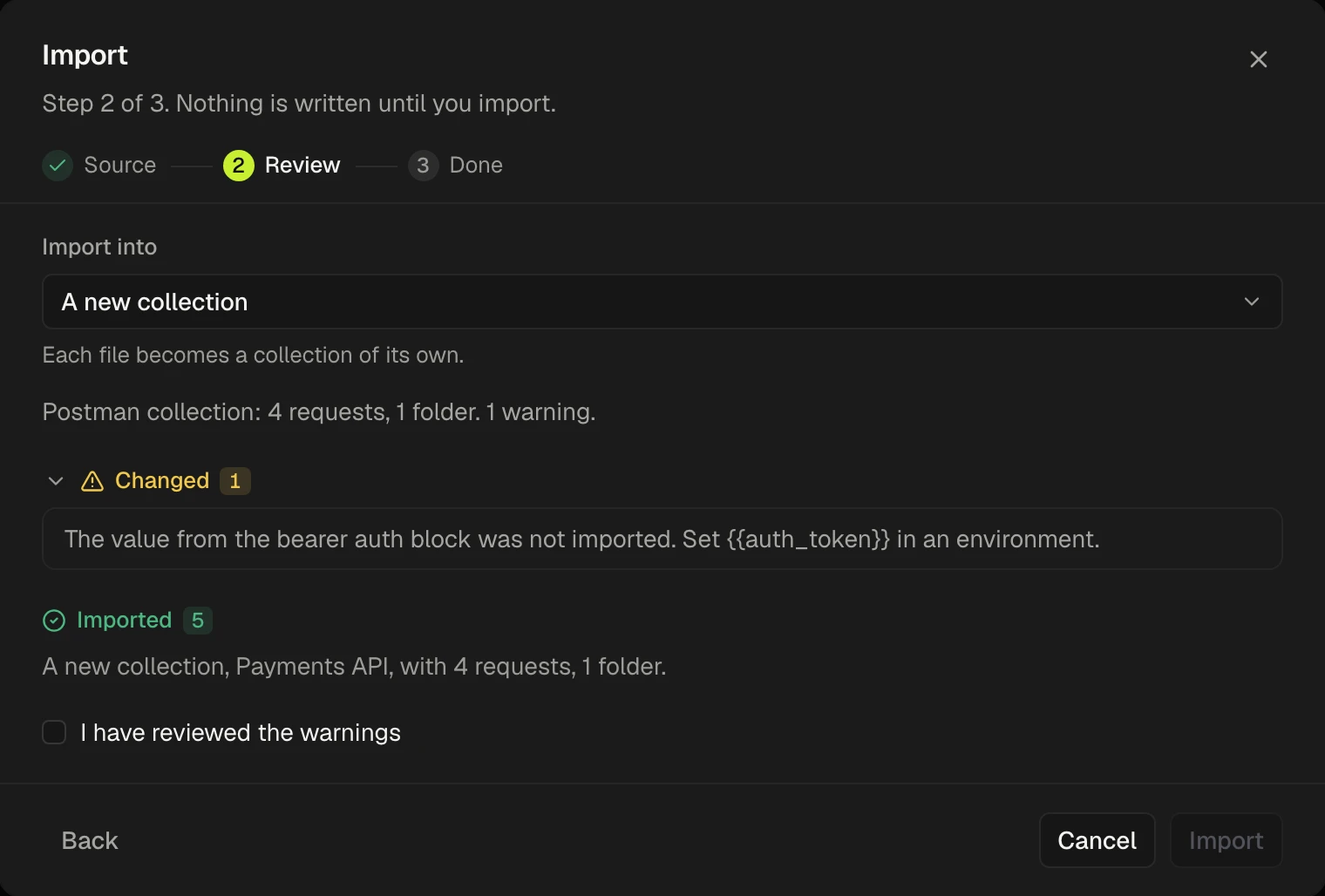
Bring Postman
Collections, environments and pm scripts come across, with anything that changed called out. Also Insomnia, OpenAPI, HAR and cURL.
Security
Ready when security asks.
Sealed secrets
Shared values are encrypted on each device. The server stores ciphertext only.
Your traffic stays yours
Requests leave from your engineers' computers, not from our servers.
Single sign-on Business
SAML or OpenID Connect, with groups mapped to roles.
Audit export Enterprise
A tamper-evident log, sent to your SIEM over syslog, CEF, webhooks or S3.
Signed updates
An update installs only once its signature verifies, and never rolls back.
Cloud or self-hosted
Use Porticol Cloud, or run the team server on your own infrastructure.
Pricing
The price is on the page.
Per seat, per month, in US dollars. No per-request fees and no credits. The desktop app is the same on every plan.
Free
$0
Up to three seats
- Sync and collaboration
- One workspace
- 1,000 monitor runs a month
Team
$12
A seat a month
- Shared secrets
- Any number of workspaces
- 10,000 monitor runs a month
Business
$24
A seat a month
- Single sign-on and custom roles
- 365 days of retention
- 100,000 monitor runs a month
Enterprise
$48
A seat a month
- Audit export to your SIEM
- Retention you choose
- No cap on monitor runs
A team server you run yourself is licensed per installation and quoted by email. Every limit is on the pricing page.
Put it in front of your team.
Builds go to early-access teams first. Free for three seats, with no account needed.